AI Context, Skills and References
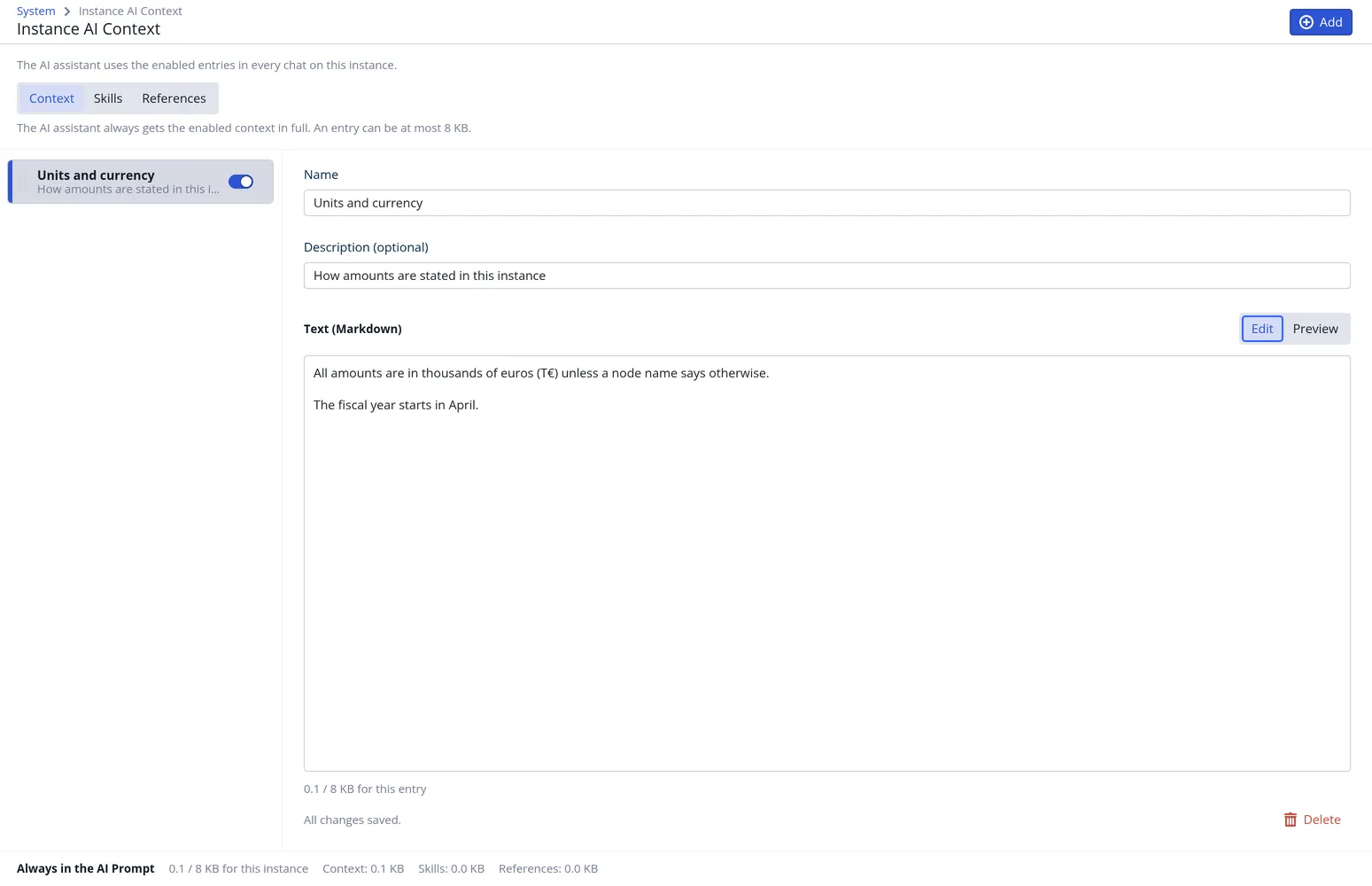
AI context tells the AI Assistant what it cannot learn from your models: your terminology, your conventions, and how your team handles recurring tasks. Entries apply either to the whole instance or to one project.
What it is
There are three kinds of entries, each on its own tab:
| Kind | What it holds | When the assistant uses it |
|---|---|---|
| Context | Short rules | Always, in every chat |
| Skills | A procedure for a task | When a task matches the skill’s description. It then follows the skill for the whole task. |
| References | Lookup material, such as a glossary or a mapping | When a question needs it |
Instance entries are used in every chat on the instance, project entries in every chat about that project. Only enabled entries are used. Under an answer, AI Context Used in This Answer shows which entries the assistant used.
When to use it
- Context for short rules that always apply, for example “Amounts are in thousands of euros.”
- Skills for a recurring procedure, for example how your team reviews a model before handover.
- References for material that is only sometimes needed, for example a glossary of internal abbreviations.
Configuration
- Instance: administrators open System > AI Context.
- Project: in the project settings, project editors open Configure AI Context.
Add an entry with Add, and switch entries on or off in the list. Changes are saved automatically.
Write the description of a skill or reference carefully: the assistant decides from the description alone when to use it.
Good to know
- Size per entry: 8 KB for context, 16 KB for a skill, 32 KB for a reference.
- Always in the AI Prompt: per instance and per project, the context entries plus the name and description of every enabled skill and reference share 8 KB. The meter on the page shows how much is used.
- At most 10 enabled skills per instance and per project.
- Skill names use lowercase letters and digits, with words joined by hyphens, up to 55 characters.
- External AI clients connected through the Valsight MCP integration can list and read skills and references.
Related
- Using the AI Assistant: what the assistant uses to answer questions