Allow Simulation of Nodes
Mark nodes as simulatable so that their values can be changed in a simulation workspace.
Prerequisites
- You have an existing model with at least one node.
- You have edit access to the model.
Steps
Open the model in the Model Editor
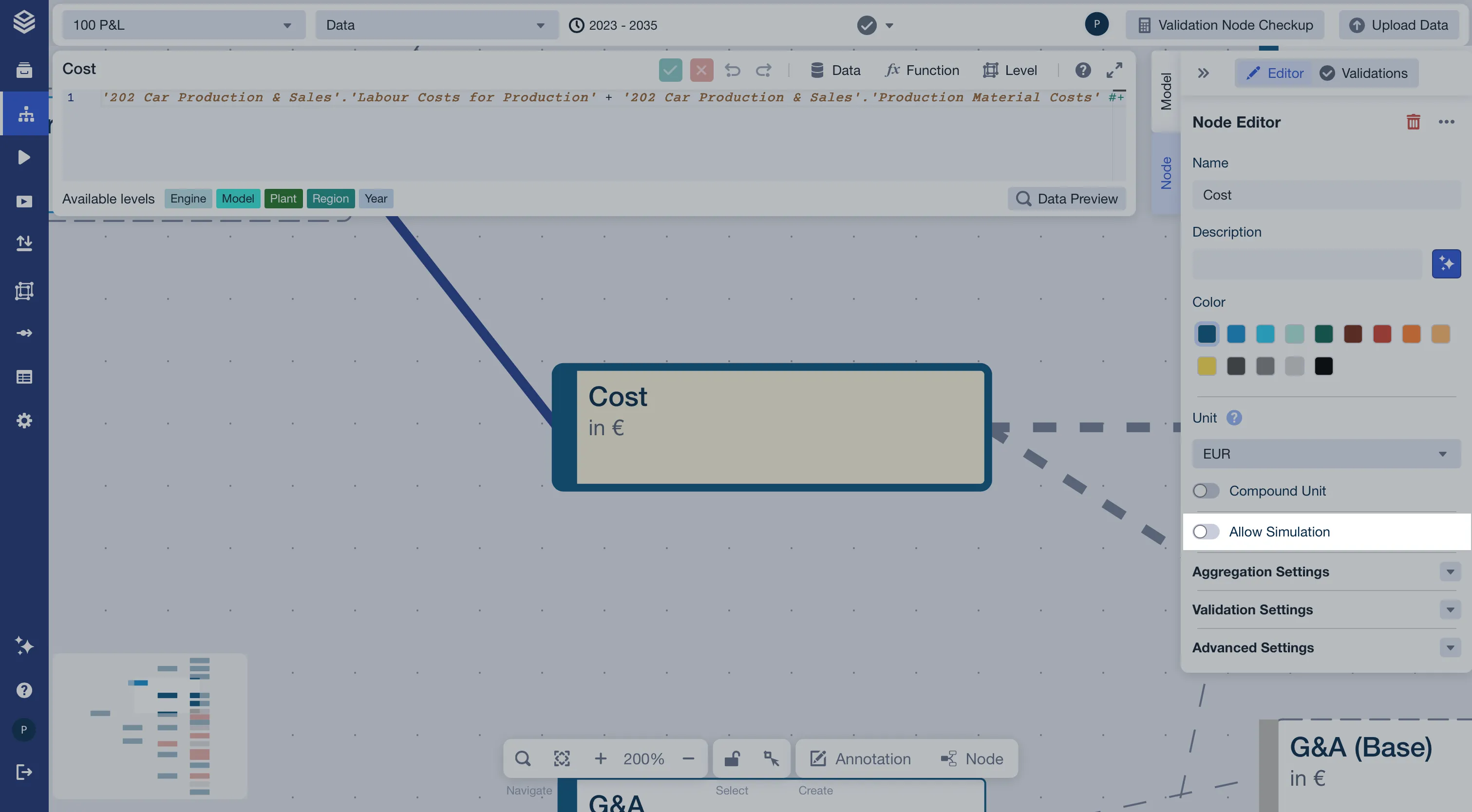
Select the node you want to make simulatable
Click the node on the canvas (for example,
Cost). The Node Editor panel opens on the right.Enable the Allow Simulation toggle
In the Node Editor, locate the Allow Simulation toggle and enable it.
Repeat for each simulatable node
Work through the remaining nodes whose values should be editable in a simulation workspace.
Result
The selected nodes are now marked as simulatable. In a simulation workspace, users can override their values to explore different scenarios, while all other nodes remain read-only.