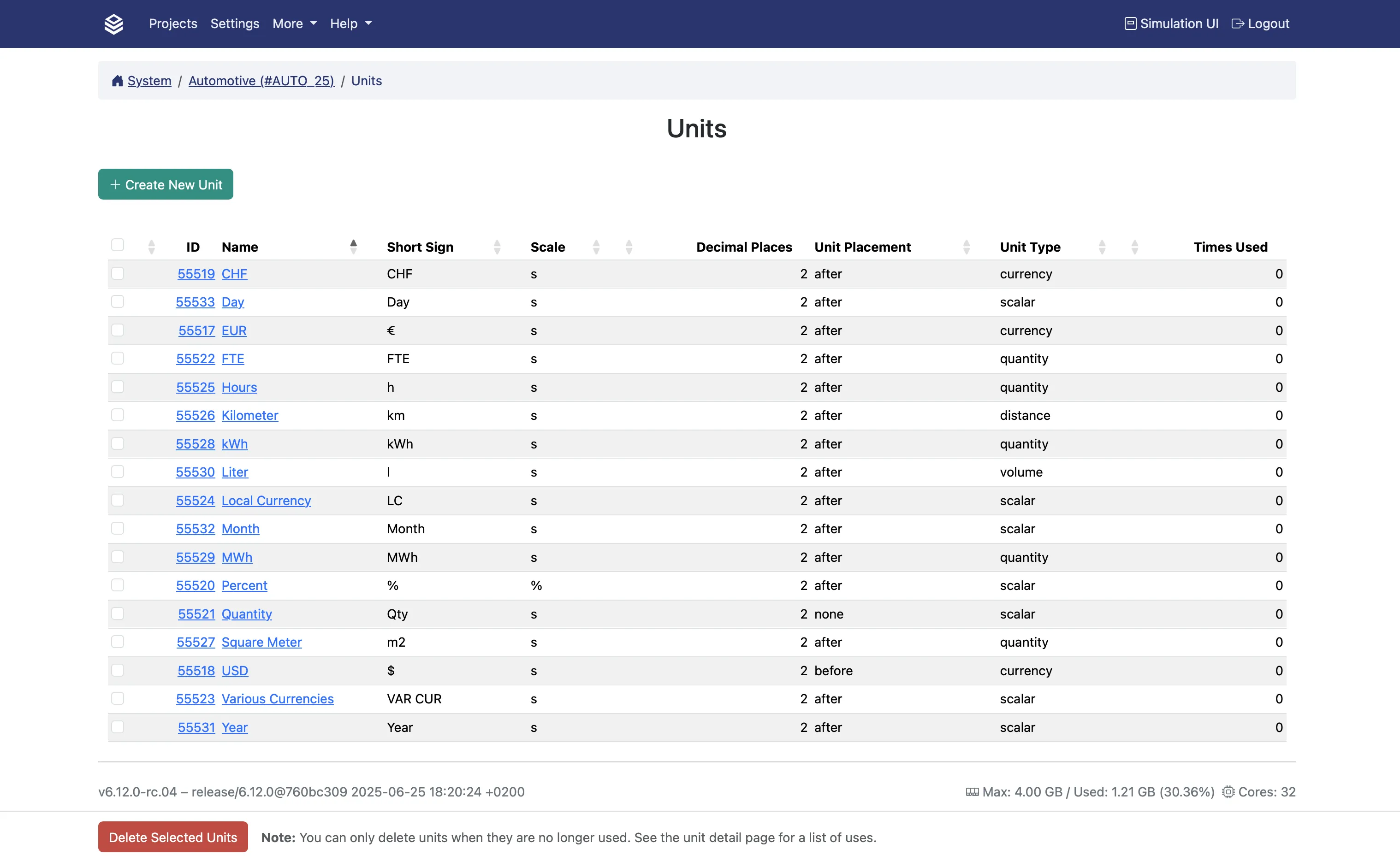
Units
Units in Valsight are display labels assigned to model nodes, such as EUR, km, or compound units like EUR / km. They help users interpret values in context.
Units are not purely cosmetic. Two things depend on them:
- Growth drivers in a roll-forward. In ROLLFORWARD and ROLLFORWARD_ADVANCED, a driver node whose unit is a percentage is applied as growth rather than as an addition. Put the wrong unit on a growth driver and you silently get an absolute addition instead.
- Model validation. A node whose assigned unit disagrees with the unit its formula calculates is reported as a warning, “Calculated unit mismatch: you specified X but the calculation returns Y”. Adding or subtracting two operands that carry different units fails outright.
A percentage unit does not make changes to the node relative
Whether a change entered in the Scenario Manager is absolute or relative is a property of the line-item, not of the node’s unit. The two are unrelated. See Creating a Line-Item.
Assigning units to a node
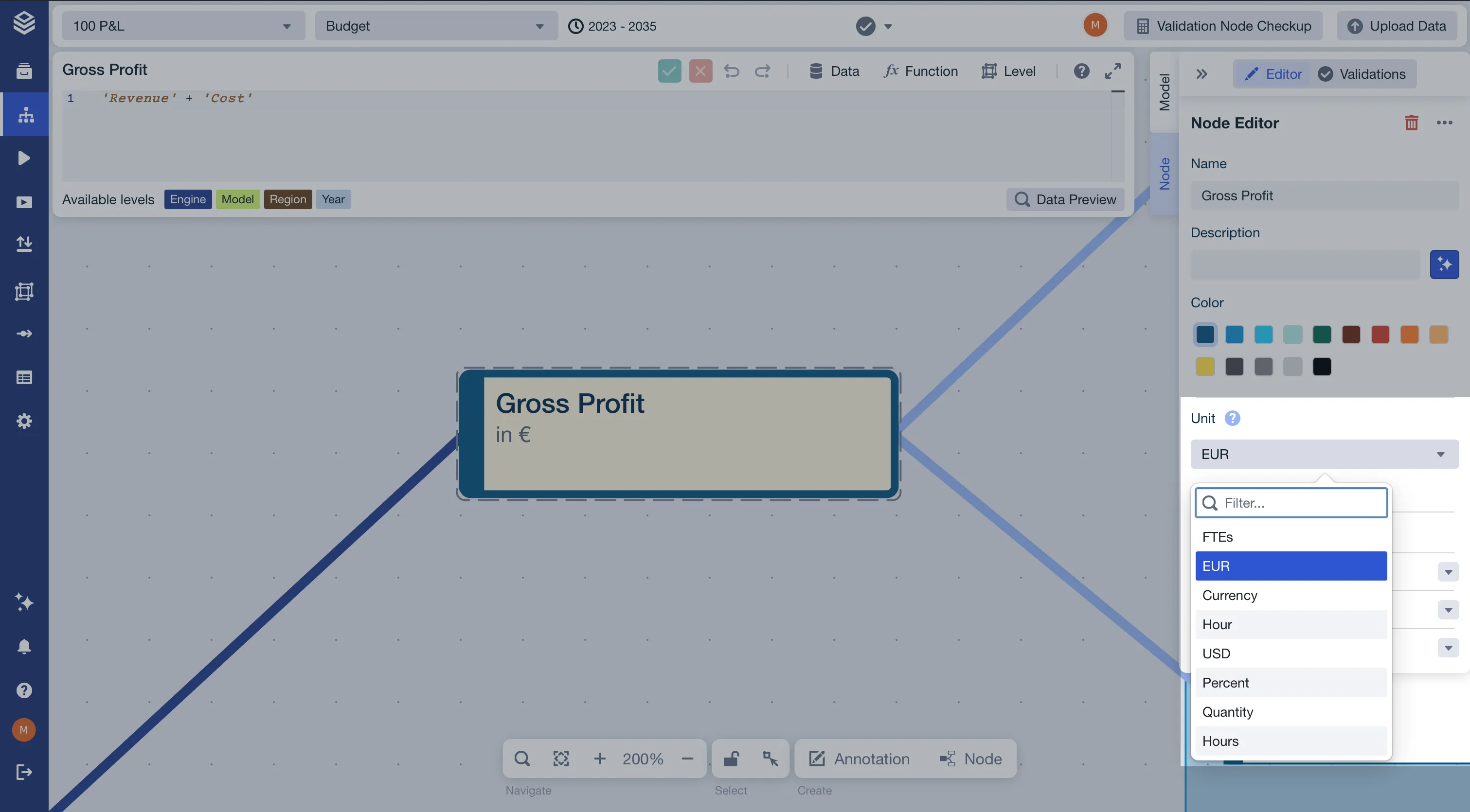
In the Node Editor (right-hand panel of the Model Editor), open the Units section and select a unit from the list.
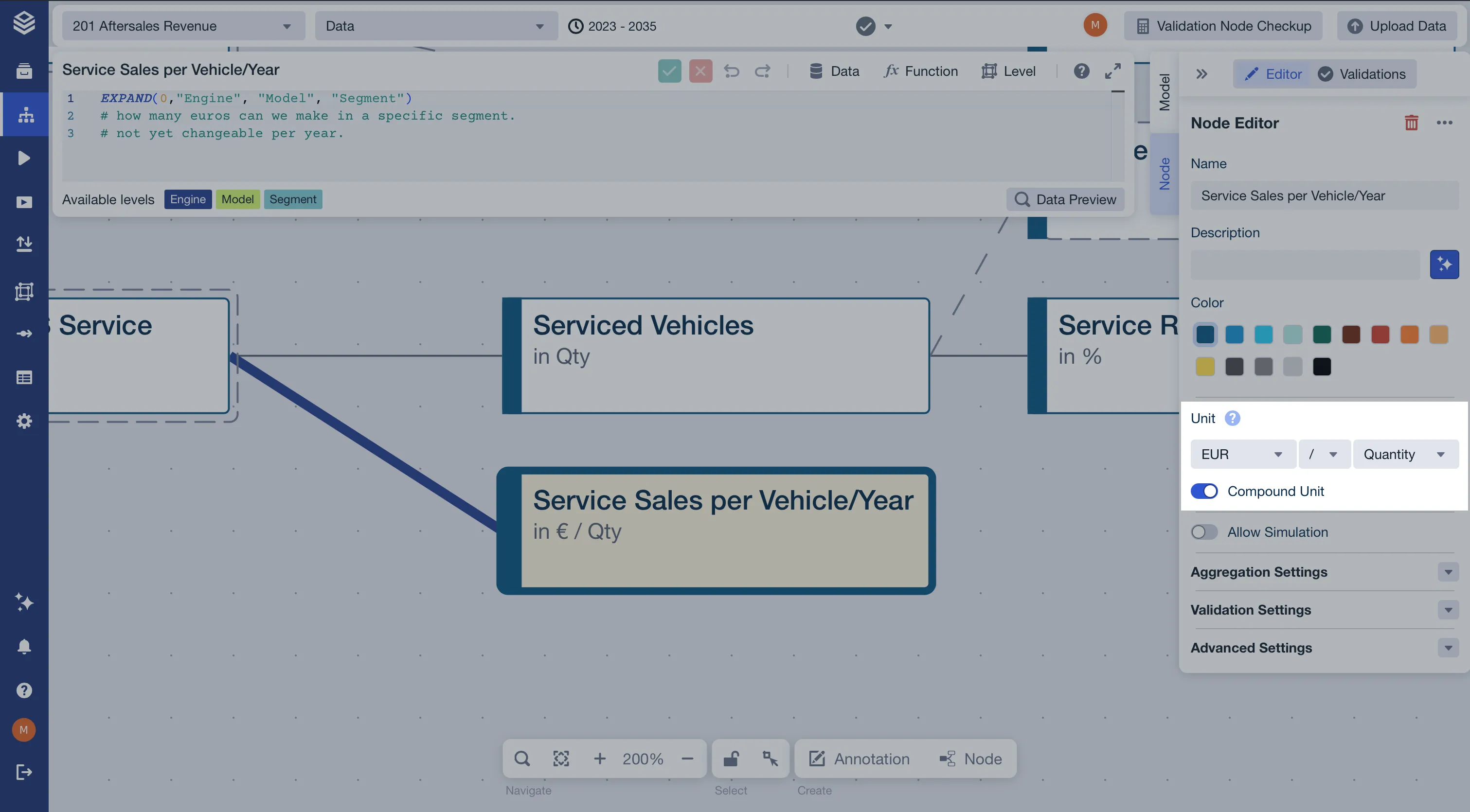
For nodes that express a ratio, select a compound unit by combining two labels (e.g. EUR / km).
If the unit you need is not listed, contact your project admin. The available unit list is project-wide and managed in Admin Settings > Units.
A model can also carry a Default Unit, set in step 1 of its Edit Model dialog, which is given to every node created in that model. See Creating and Configuring Models.