External Data Source Connections (ODATA / JDBC)
Besides uploaded XLSX files, the data source type dropdown offers three connections to external systems: OData, JDBC and CSV URL Download. On instances where export sharing is licensed and switched on, External Project appears as a fifth type (see Sharing exports).
- Name: The internalname of the database that should be created.
- URL: Enter the ODATA service root URL or JDBC URL, e.g. https://services.odata.org/Northwind/Northwind.svc/ or jdbc:postgresql://localhost/DB_NAME
- Authentication for OData and JDBC is performed via username and password. The checkbox Always require users to enter password is ticked by default, and while it is ticked the password is discarded after the import and has to be entered again on every re-import. Untick it to have the password stored encrypted in the application database.
- Tables to import: You can limit the scope of the import by providing a comma separated list of tables. Removing a table from the list will not delete the table. If empty, all accessible tables will be imported.
- On successful creation, the system will import the tables to the system. They can then be accessed as any other data source via the DATA function in models. If needed, a re-import can be triggered using “Re-Import Tables”.
ODATA connections
To connect to a system using ODATA, navigate to the data source page in your project and create a new data source with the type OData.
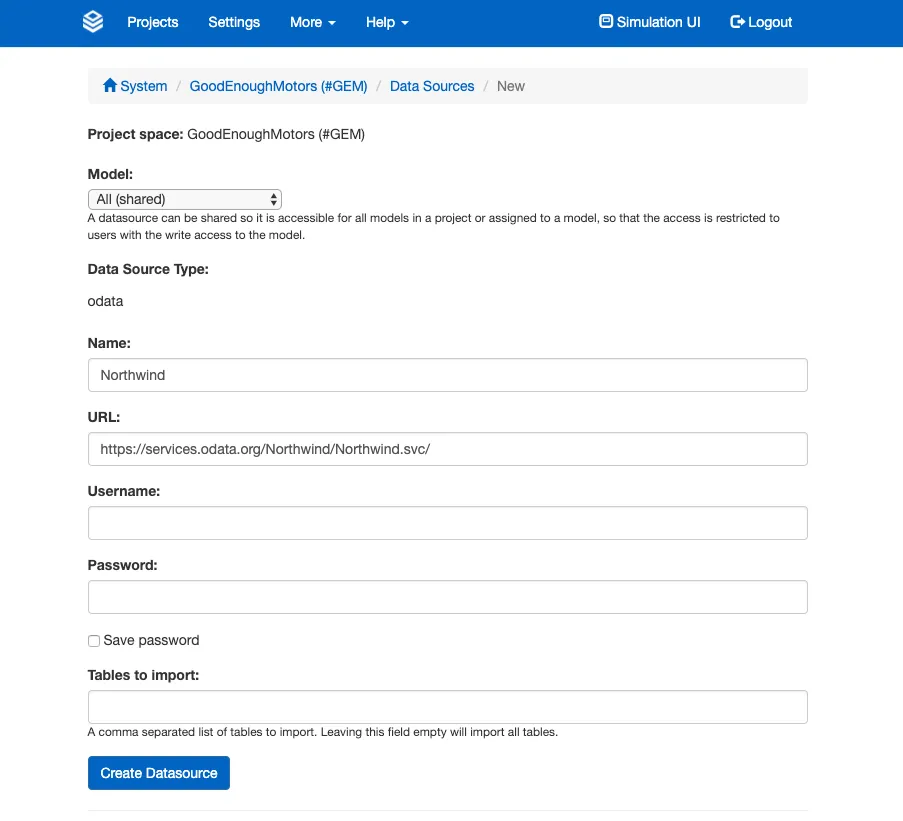
Supported versions:
- ODATA V2
JDBC connections
To connect to a system using JDBC, navigate to the data source page in your project and create a new data source with the type JDBC.
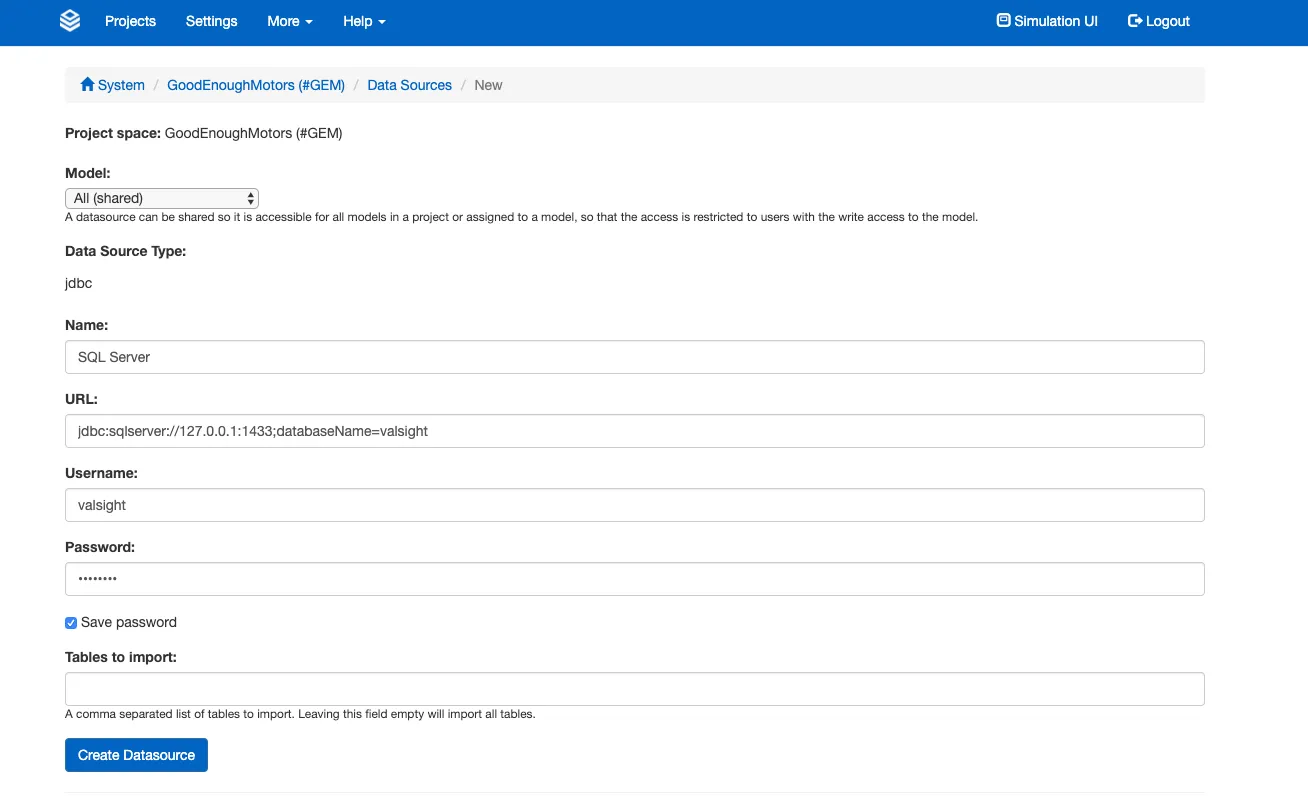
These databases are supported, each with the shape of JDBC URL it expects:
| Database | JDBC URL |
|---|---|
| PostgreSQL | jdbc: |
| SQL Server | jdbc: |
| MariaDB | jdbc: |
| Snowflake | jdbc: |
For Snowflake, give all four of warehouse, db, schema and role. The warehouse runs the queries, the role decides which objects are visible at all, and naming the schema is what puts the connection in the schema your tables and views actually live in. Treat schema as required rather than optional.
Pick the database from the dropdown in the data source form and it fills in the matching URL template for you. The choice itself is not stored: the URL stays the single source of truth, so correcting the URL later is all it takes to point a data source at a different database.
Snowflake key-pair authentication
A Snowflake data source can authenticate with a key pair instead of a password. Every other database authenticates with a username and password.
Snowflake is retiring password authentication for service users, so on accounts where that enforcement already applies, key-pair authentication is the only way to connect.
Select the key-pair method in the data source form and upload the private key together with the rest of the connection configuration. The key must meet these requirements:
| Requirement | Value |
|---|---|
| Algorithm | RSA |
| Minimum key length | 2048 bits |
| Accepted formats | PKCS#8 PEM, encrypted or unencrypted, which is the .p8 file Snowflake’s own instructions produce; PKCS#1 PEM; raw PKCS#8 DER |
| Passphrase | Needed only for an encrypted key. It is used once to read the key and is never stored. |
The key is stored encrypted in the application database, the same way a saved password is. To rotate a key, upload the replacement on the data source’s edit screen.
Tables to import
CSV URL Download
A CSV URL Download data source fetches a CSV file from a URL instead of querying a database. It has no username and password. In their place it offers an Authentication Type selector, set either to no authentication or to one of the OAuth providers configured on the instance (see OAuth 2.0 for URL external data source authentication configuration).
Available since 7.3.3.
An administrator can limit an OAuth provider to certain URLs. A URL outside them, or a redirect to one, is refused with a message saying so. A provider that authenticates as the installation rather than as the user (client_credentials) is listed only once it is limited this way.
Notes on tables to import
Tables to import must be in the default schema of the user. Otherwise the import will fail as it does not find the respective tables. If left empty, the user must only see one schema and this must be the user’s default or connection’s default.
On Snowflake, Valsight lists only the tables and views in the database and schema that the connection itself reports. Snowflake otherwise reports every schema of the account, including objects that cannot be imported at all, because tables are read unqualified.
If the JDBC URL does not name a schema, the connection lands in whatever default schema the account gives it, and anything outside that schema is simply absent from the list. Nothing reports why, so the symptom is a table or view you know exists that Valsight cannot find. Adding schema= to the URL and re-importing is the fix.
This narrowing applies to Snowflake only. Every other database is unchanged, because PostgreSQL and SQL Server resolve unqualified names through a search path that may name several schemas, and scoping there would hide tables that import perfectly well.