Node Actions
Nodes can be changed individually or in batches.
- Select a single Node by clicking on it.
- Use ‘Tree select’ to select all Nodes that are required for the calculation of the current Node.
- Hold CTRL (⌘ on Mac) and click to select multiple Nodes.
- Hold CTRL (⌘ on Mac) and click on selected Nodes to deselect them.
Copy and paste
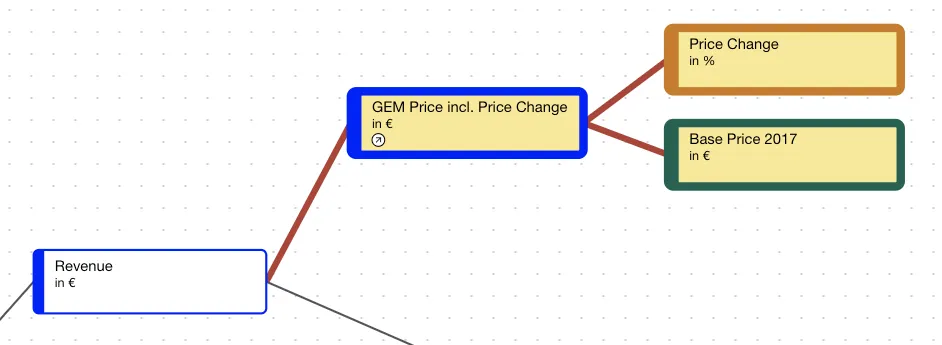
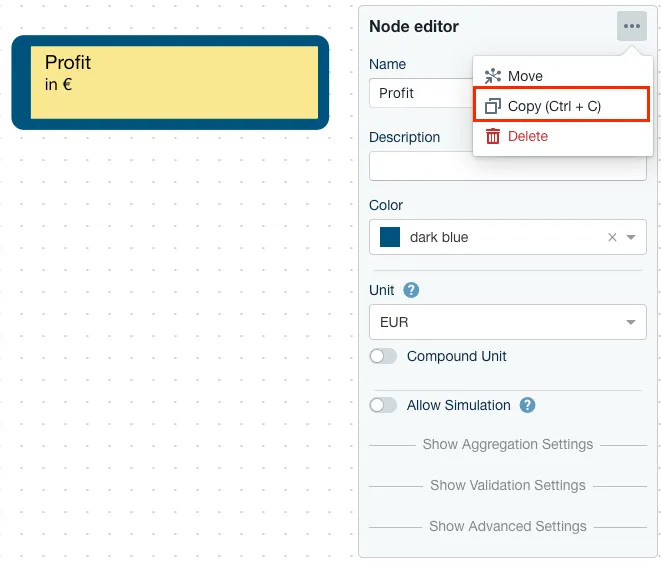
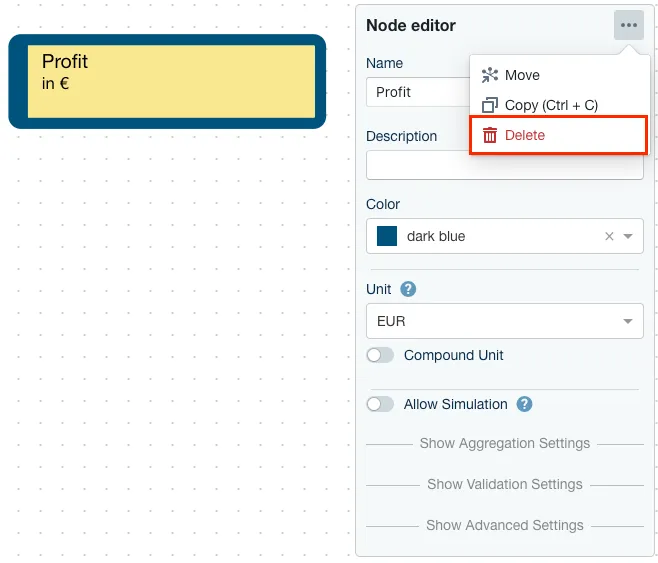
Nodes can be copied by selecting the three-dot action menu in the Node Editor header and ‘Copy’, or by pressing Ctrl+C (⌘+C on Mac) on the keyboard. The copied Nodes can then be pasted with Ctrl+V (⌘+V on Mac). Nodes can be pasted in the same Model, other Models of the same or different projects, and also into another instance. On paste, Nodes might become invalid as references to not accessible elements are removed. This can include references in the operation like other Nodes or data sources as well as setting like the weighting Node for a weighted average aggregation or impact proxies.
Move to other models
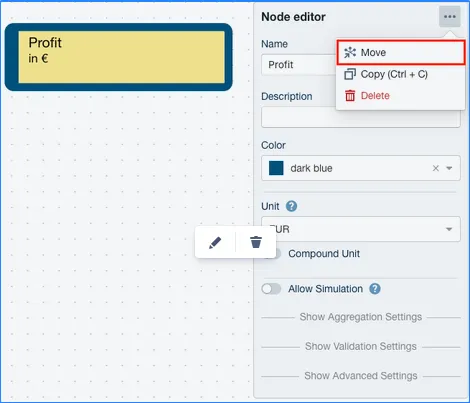
If you want to move Nodes to another Model, select the three-dot action menu and ‘Move’. This will keep references to assumption line items intact. The move operation might fail if references would be invalid due to the move. If the move succeeds, the Node(s) are still valid and numbers do not change.
Deletion
Delete Nodes with the red trash button in the Node Editor header, to the left of the three-dot action menu. That menu itself holds only ‘Move’ and ‘Copy’.
Deletion can be refused. A node that is still referenced elsewhere is kept, and the product reports “Cannot delete nodes” with the list “These nodes are in use by other nodes or line-items:” and the hint “Remove references, then try again.” Use ‘Show references’ in that dialog to see what is holding the node. A node is in use when another node’s operation refers to it, or when an assumption line-item is defined on it, so clear those first and delete again.
Search
Click the search icon in the action bar at the bottom of the canvas, in the ‘Navigate’ group next to the zoom controls, or hit CTRL + F (⌘ + F on Mac) to search for Nodes in your current Model and Submodels.