Duplicating a Project
Duplicate an existing Valsight project, either in full or with only selected workspaces.
Steps
Duplicate a project
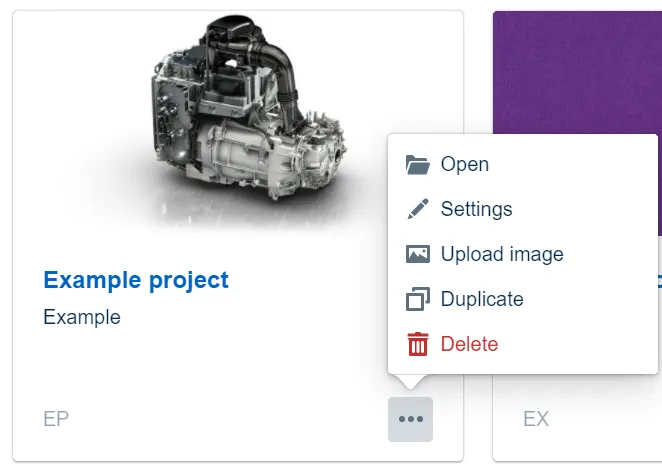
- Open the three-dot menu on the project card.
- Click Duplicate.
- Confirm the duplication in the dialog that appears.
Duplicate with selected workspaces
If you do not want to duplicate the entire project, including all Workspaces, duplicate it from the project settings instead:
- Open the Valsight settings and go to the project settings overview.
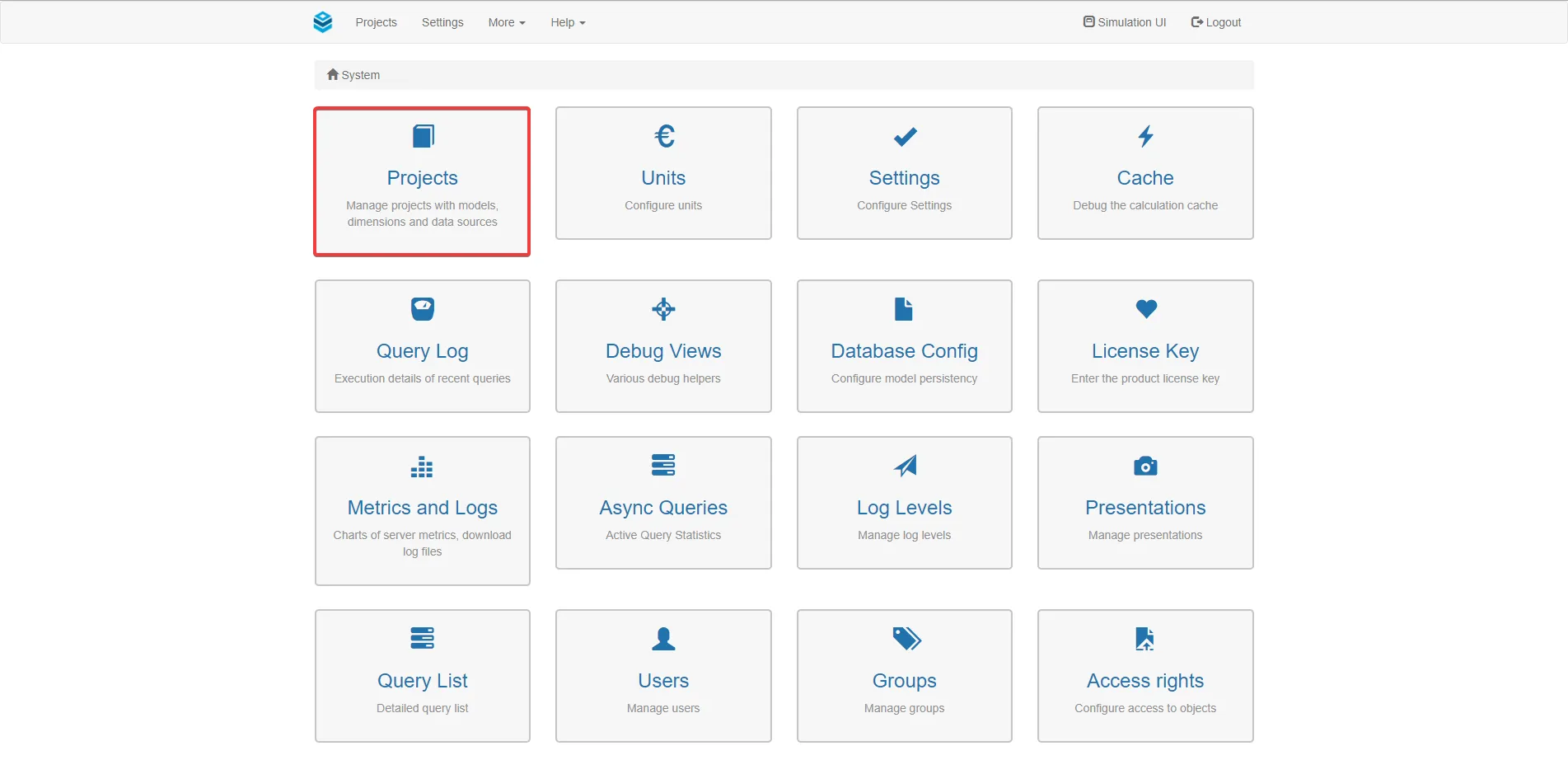
- Select the project you want to duplicate from the list on the left.
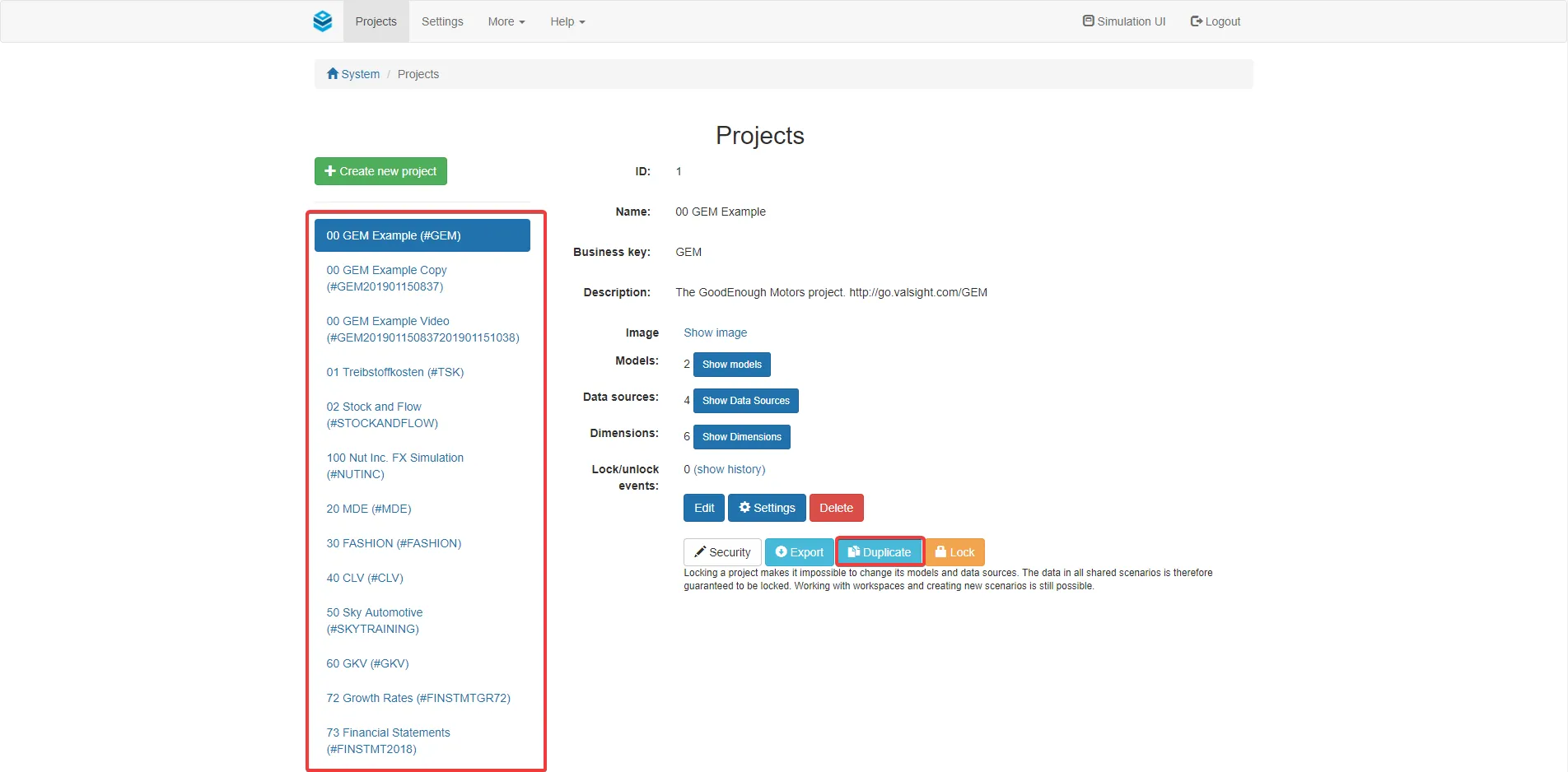
- Click Duplicate.
- In the dialog, enter a name and business key for the duplicate.
- Select which workspaces to include in the duplicate.
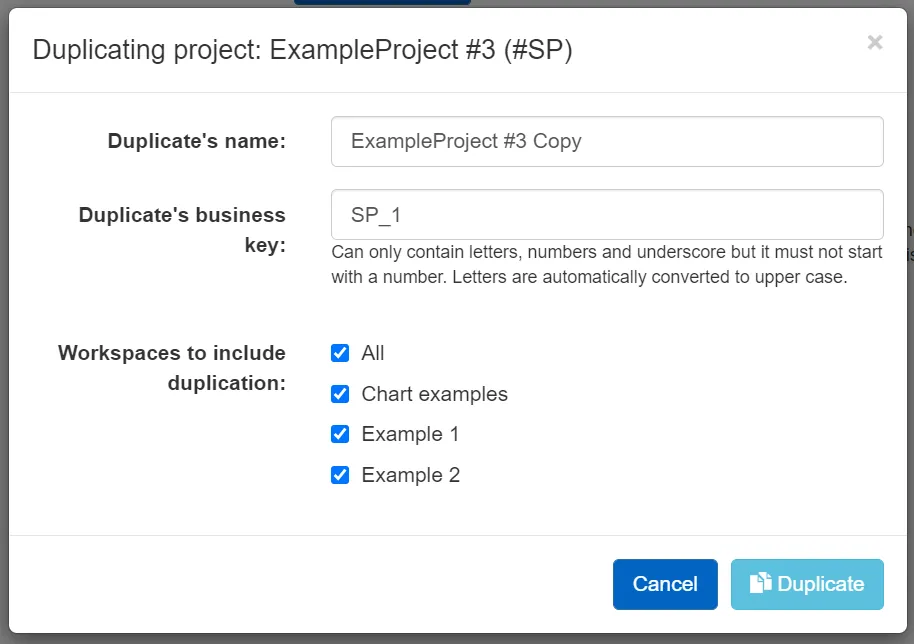
- Click Duplicate.
Result
The duplicated project appears in the Project overview, with the name and business key you assigned.
Valsight duplicates the project in the background, so you can keep working. When it is ready, the duplicate appears in the Project overview with the name and business key you assigned.