Project Variables
Project variables let you define shared values once, for time, data sources, or any other shared input, and reuse them across models and scenarios. They keep models consistent, flexible, and easy to maintain.
When to use it
- When node operations depend on values that may change over time (e.g. project start year, a shared growth rate)
- When the same value is referenced across multiple nodes and must stay synchronised
- When you want scenarios to use different variable values without rebuilding the model
How it works
Project variables act as central placeholders for values. They can be defined at the project level, used inside node calculations, and overwritten per scenario when needed.
There are two types:
- System variables: predefined by Valsight and derived from project settings (e.g.
$PROJECT_HORIZON_START). Shown in blue; configured via project settings only. - Custom variables: created and named by users with values they define. Variables can hold numeric or non-numeric values.
Changing a variable’s value in one place automatically updates all calculations that rely on it.
Creating a variable
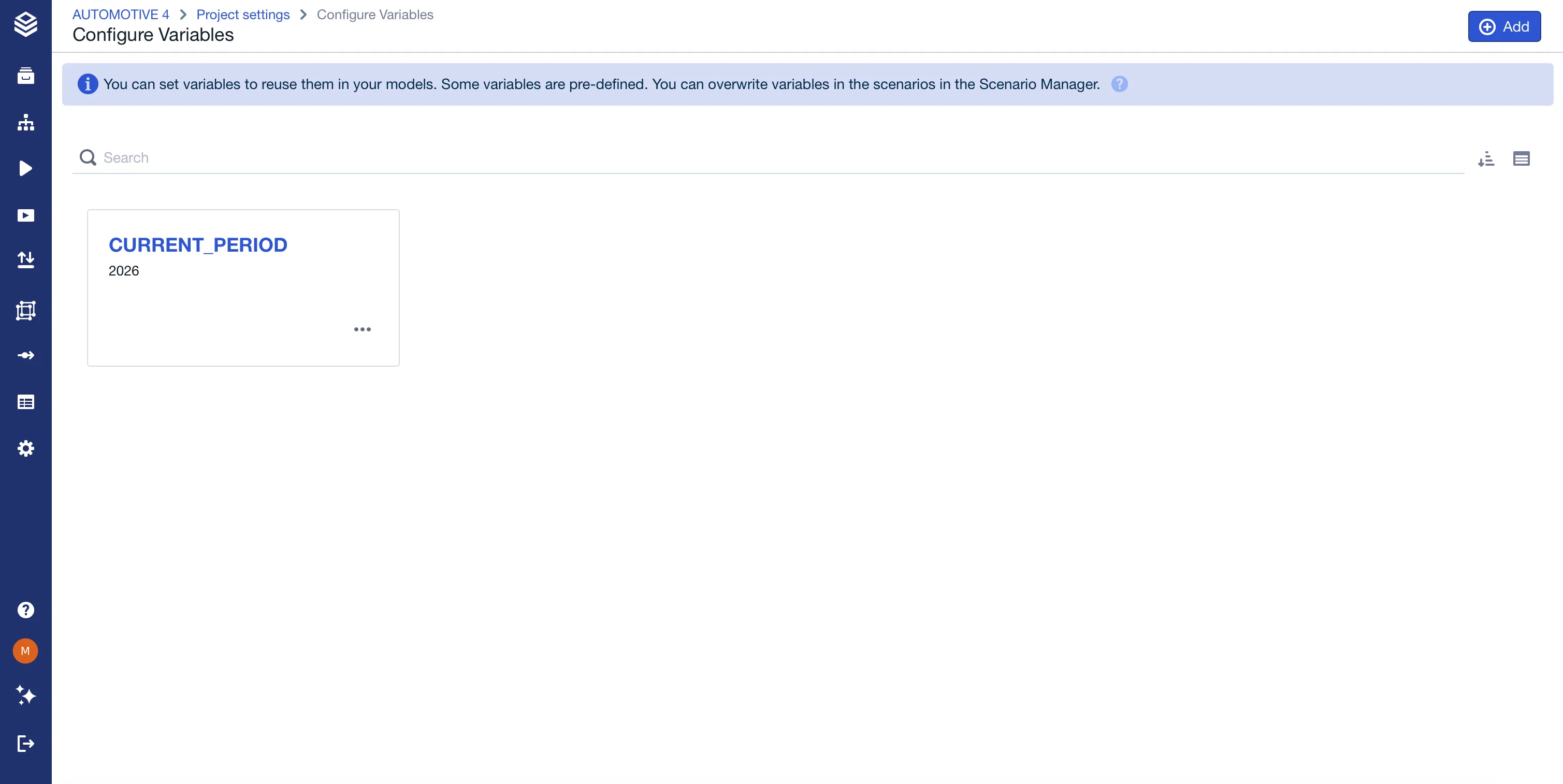
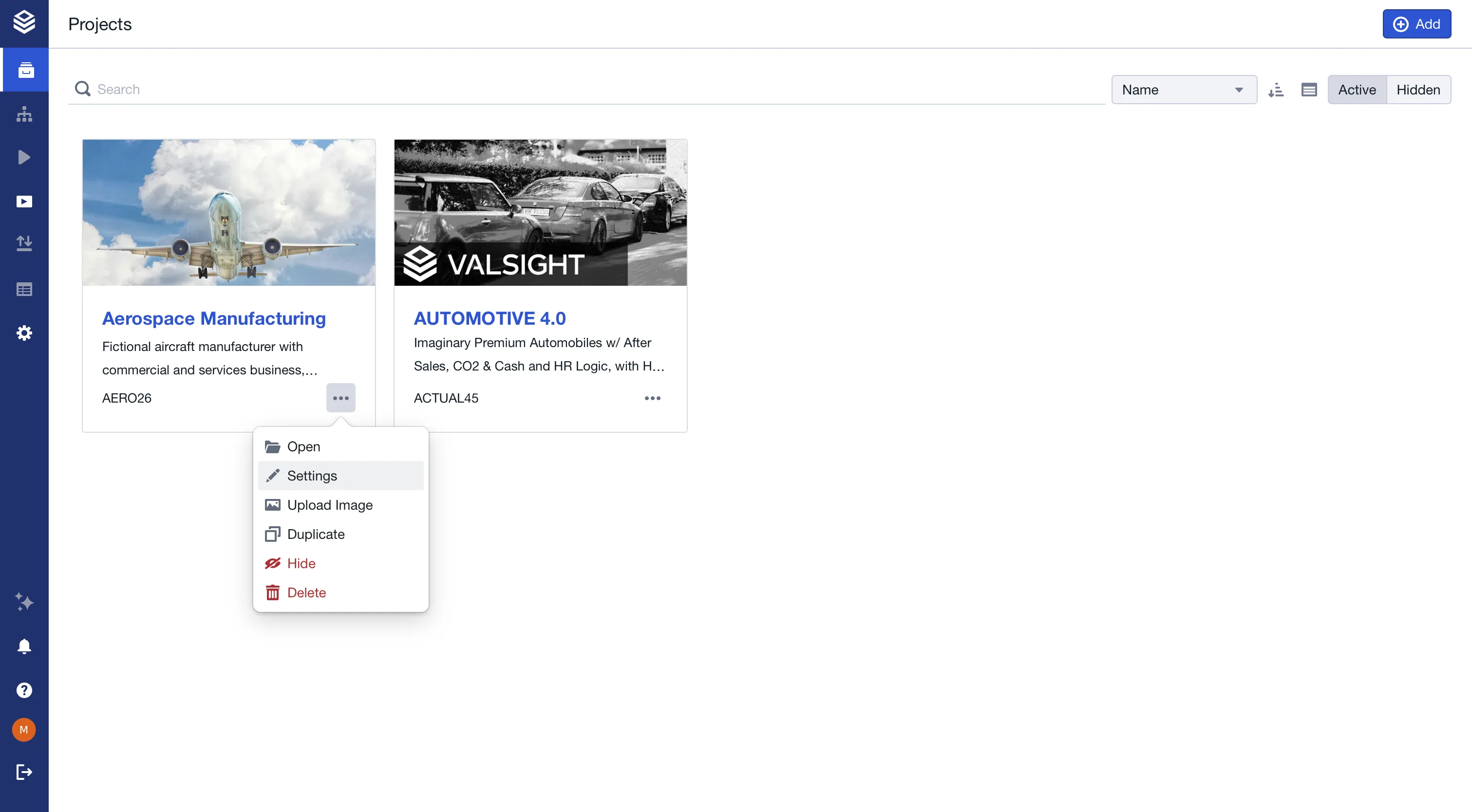
Custom variables are created in Project Settings > Configure Variables > Configure Variables Overview.
Naming restrictions
The first character must be a letter. The remaining characters can be letters (upper or lowercase), numbers, underscores, or dashes.
Dynamic project variables
Custom variables can be either fixed or dynamic:
- Fixed: you enter the value directly. This is the default, and how all existing variables behave.
- Dynamic: the value is calculated from a formula that references other fixed variables. When a referenced value changes, the dynamic variable updates automatically.
Use a dynamic variable when one value should always be derived from another rather than maintained by hand: for example, a forecast end that is always 12 months after the forecast start.
When you add a variable, choose its type. For a dynamic variable, define the calculation in the formula editor, which provides syntax highlighting and autocomplete for two time functions:
- DATE_OFFSET: offsets a time level value forward or backward by a number of years, quarters, months, weeks, or days.
- DATE_EXTRACT: extracts the year, quarter, month, week, or day from a time level value.
Example. With a fixed variable $FORECAST_START = "2026-04", define a dynamic variable FORECAST_END as:
Formula: DATE_OFFSET("$FORECAST_START", "Month", 12)
| TimeLevelValue | → FORECAST_END |
|---|---|
"2026-04" | "2027-04" |
The variable overview shows each variable’s type and its resulting value. If a formula is invalid, the value shows an error state; you can still save the variable and correct the formula later.
How dynamic variables behave
- Dynamic variables can reference fixed variables only, not other dynamic variables.
- Only fixed variables can be overwritten in a scenario. Dynamic variables are read-only in the Scenario Manager.
- A fixed variable can be deleted even while a dynamic variable uses it. Deleting it invalidates any dynamic formula that referenced it.
Available system variables
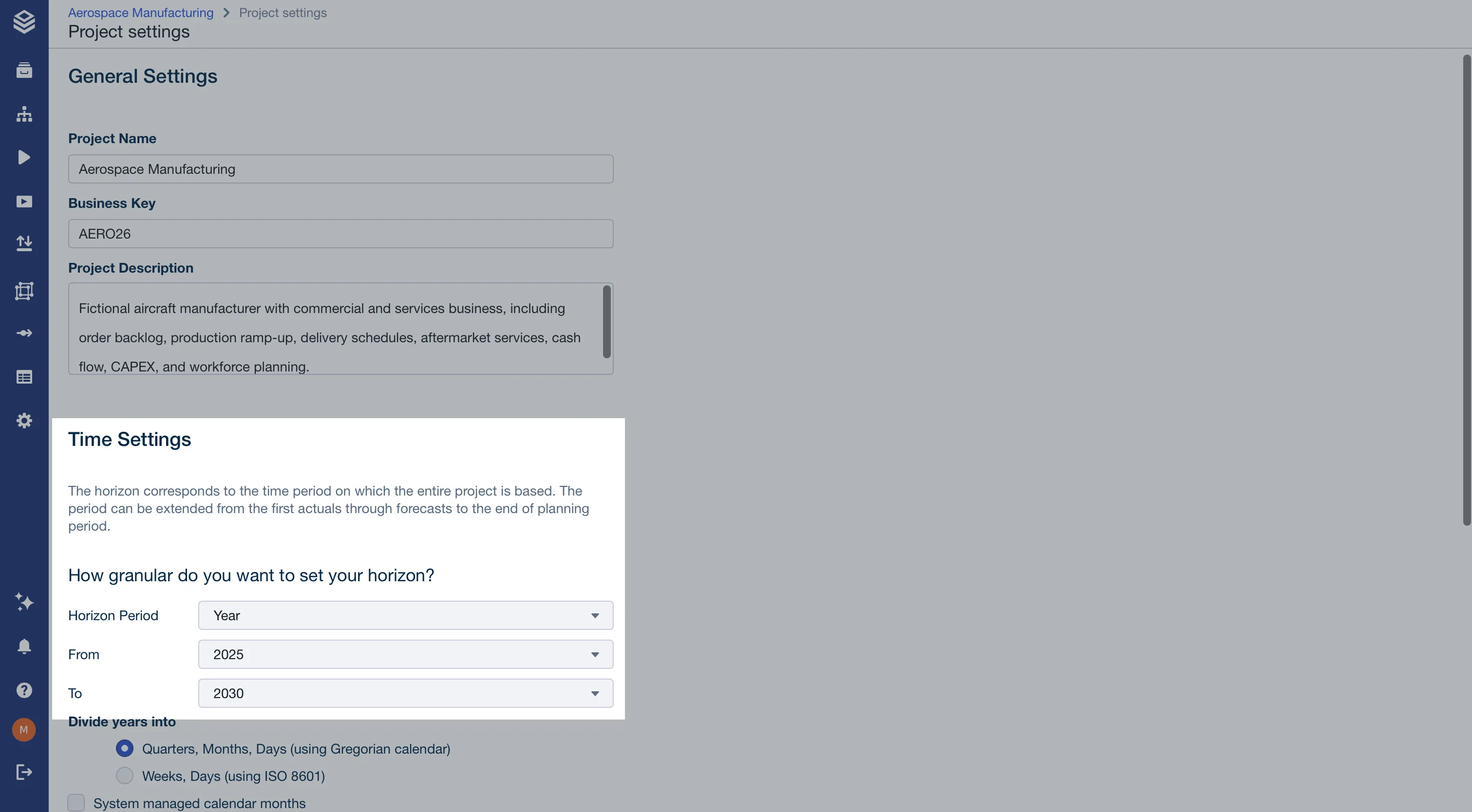
System variables are available in every project. They are listed on the variable overview alongside your own, tagged Pre-defined. Most of them are read-only there and follow project settings, under Time Settings.
| Where it is set | Variable | Value | Example Value |
|---|---|---|---|
| Project settings, Time Settings | $PROJECT_HORIZON_LEVEL | The project’s horizon period from time settings. | ”Year” |
| Project settings, Time Settings | $PROJECT_HORIZON_START | The start value of the project time horizon. | ”2025” |
| Project settings, Time Settings | $PROJECT_HORIZON_END | The end value of the project time horizon. | ”2030” |
| Variable overview | $CURRENT_PERIOD | The current period of your project. | ”2026” |
| Variable overview | $CUSTOM_VARIABLE | User-defined value. |
$CURRENT_PERIOD is the exception among the pre-defined variables: it is editable, and it is not a Time Setting. There is no Current period control in project settings. Change it on the variable overview like any other variable.
Limitations
- Sharing scenarios with overwritten variables is not supported.
- Variable names must follow naming rules to be usable in formulas.
- The project horizon variables are managed through project settings and cannot be edited on the variable overview.
FAQ
Why should I use project variables instead of fixed values?
They make models easier to maintain by centralizing key value management.
Can variables be different per scenario?
Yes. Variables can be overwritten at the scenario level.
Yes. Fixed variables can be overwritten at the scenario level. Dynamic variables are read-only in scenarios and always follow their formula.
What happens if a project variable changes?
All calculations using that variable update automatically, unless a scenario has pinned its own value.
Any dynamic variables that reference it are recalculated too.
Are all variables visible in the same place?
Yes. The variable overview lists every variable in the project, custom and pre-defined alike. The pre-defined ones carry a Pre-defined tag, and the project horizon variables are shown there read-only because they follow project settings.