Data & Dimension Validation
Validate that uploaded data is correctly formatted, contains expected values, and complies with your defined dimensions.
How it works
The validation function checks uploaded base data against the project’s dimension definitions. It verifies that:
- Data is correctly formatted
- Values fall within expected ranges
- Level values match the defined dimensions
If deviations are found, the validation tool reports the kind of error and its exact location.
Steps
Validating uploaded data
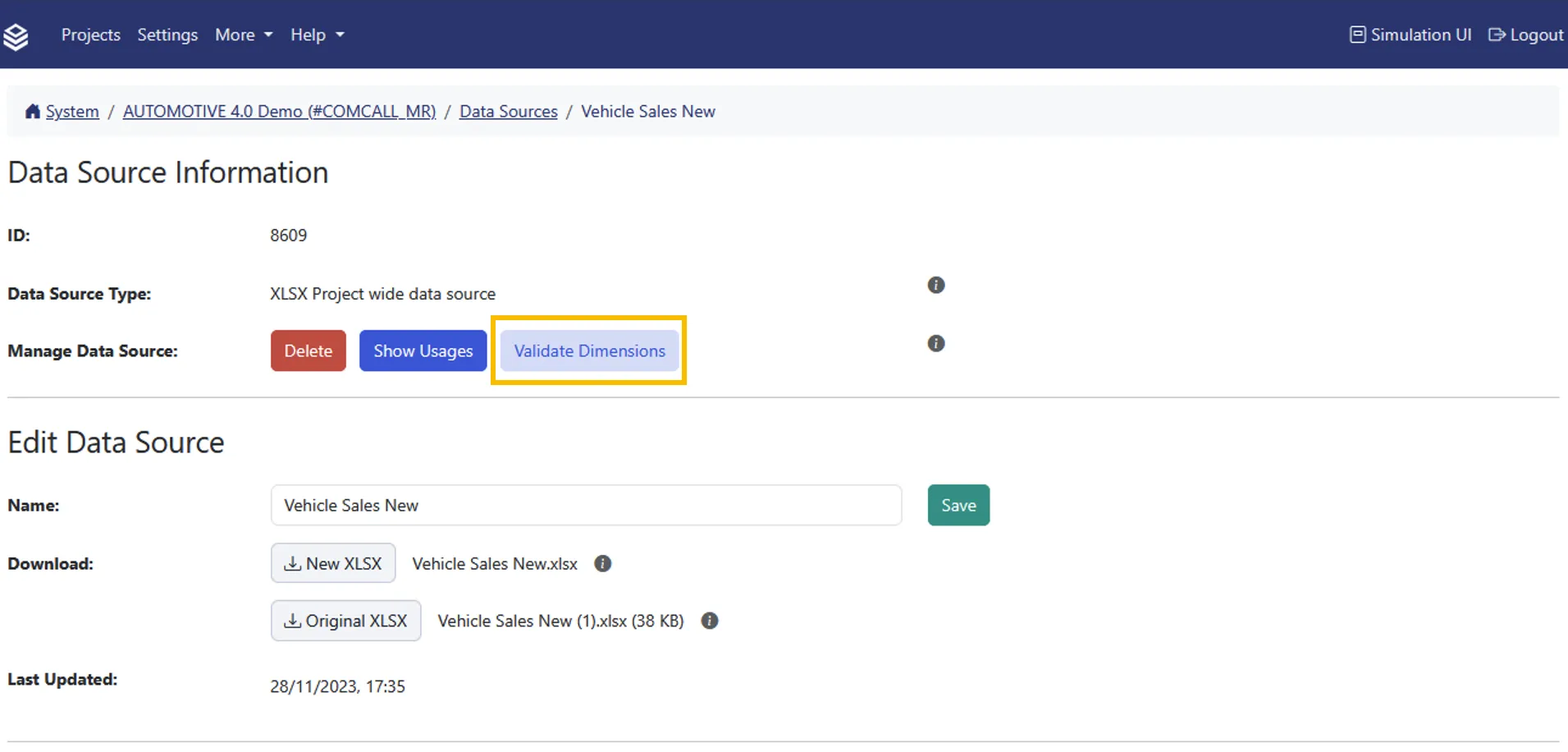
- Open the Data Source page for the file you want to validate.
- Click Validate Dimensions.
Validate Dimensions opens a results page of its own, listing any issues with their location and type. It shows at most 1000 issues, so on a large data source treat a full page as a sample rather than the complete count.
The Data Source page sits in the management area, and you need edit access to the data source to run the check. The button next to it, Show Usages, answers a different question: it lists the nodes and project variables that reference this data source, which is the same report described under Impact check when changing data sources.
Impact check when changing data sources
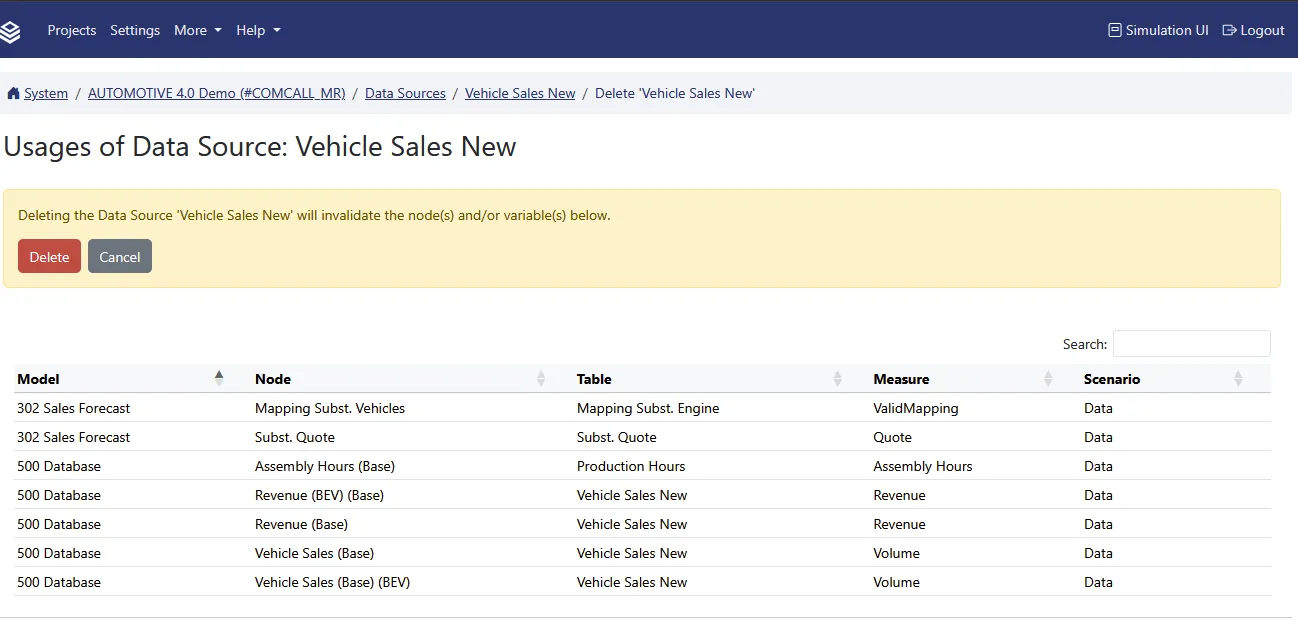
When you rename or delete a data source, Valsight first checks what depends on it: the nodes that read from it, and the project variables that reference it. What happens next depends on the answer.
- If nothing depends on it, the rename or deletion is carried out straight away. There is no confirmation step.
- If something does, Valsight shows the impact report first, listing the affected nodes and variables. The action goes ahead only once you confirm it with Rename or Delete.
Do not rely on the confirmation as a safety net. It only appears when the data source is actually in use, so a delete you expected to be able to review can complete immediately. Use Show Usages on the Data Source page to see the same report before you start.
FAQ
What does data validation check?
It checks that uploaded data complies with your dimension definitions, is correctly formatted, and contains no unexpected values.
Do I need to validate every time I upload?
It is recommended after any data upload or dimension change to catch issues early.
What happens if validation finds issues?
The validation report lists each issue with its location. You can then fix the problems in your source data and re-upload.
Related
- Model Validation: verify model formulas and node compatibility
- Workspace Validation: check workspace scenarios