Shifting Assumptions
Simulate the effect of revenue & cost streams as well as cash inflows & outflows delay or advancement through shifting an Assumption or its part. The shift duration is always declared at monthly basis. Positive values represent delays and negative advancements. If the data is defined on yearly basis, the shift moves a portion of the values across the years (e.g. 6 month shift of yearly revenue will move 50% of year x to year x+1 and so on).
Shifting is not available everywhere. It is blocked outright on projects that use the week time dimension, where the Shift button stays disabled behind ‘Shifting is not allowed with projects that use weeks.’, and assumption groups that live in a shared workspace cannot be shifted at all.
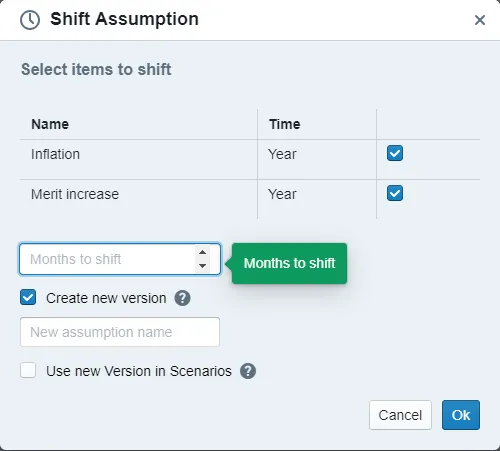
The dialog offers two mutually exclusive options, not two tickboxes:
- Overwrite line-items shifts the existing line-items in place. The assumption is then flagged so that the next version you save has to be a new one.
- Create new assumption duplicates the assumption with the shift applied. The copy is named ‹name› (Delayed) unless you type a name of your own, and it contains all line-items of the assumption, not only the ones you ticked.
Picking Create new assumption reveals a name field and the checkbox Activate in all scenarios, which activates the new versions everywhere the original was active and deactivates the original.
How to shift assumptions inside the Scenario Manager
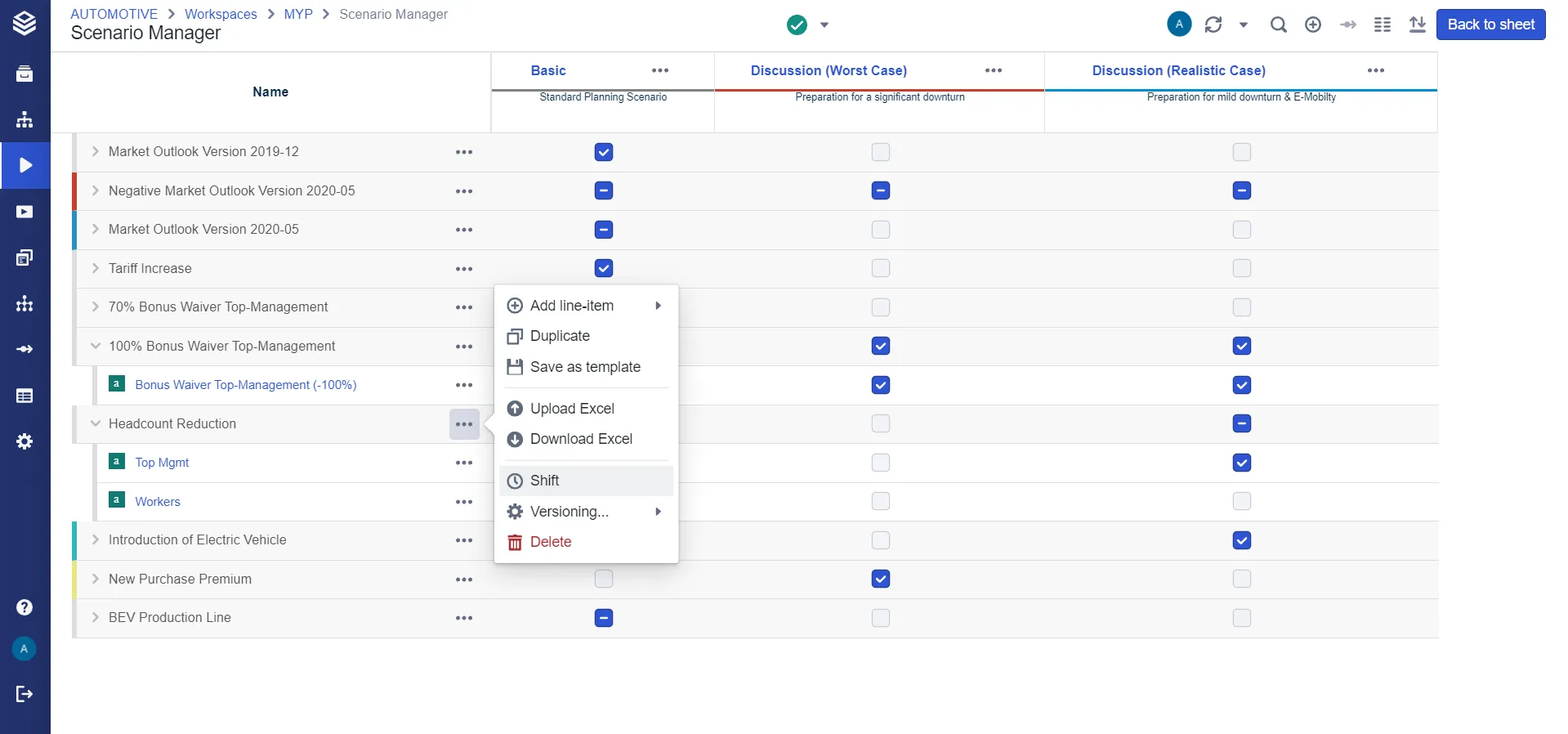
Open the Scenario Manager and select the three dots next to the Assumption you want to Shift. The option to Shift the Assumption will appear as shown in the picture below.
A line-item can only be shifted if all four of these hold; the rest cannot be selected in the dialog:
- it enters data absolutely (
+), not as a relative percentage - it has a time level
- that time level is no finer than Month, so Year, Quarter and Month qualify and Day does not
- source and destination line-items sit on the same node
Only line-items are shiftable. A shared scenario added to the assumption is silently not offered.