Chart Templates
Save a chart’s configuration as a named template, then apply it the next time you add a chart instead of setting it up again.
Goal
Reuse a chart you have already configured, so that a layout you use often does not have to be rebuilt each time.
Steps
Save a chart as a template
- Click the settings button at the top right of the chart to open its context menu.
- Select Save as template.
- Give the template a name that says what it is for.
Apply a template to a new chart
On a new, empty sheet, saved templates are offered on the selection screen straight away:
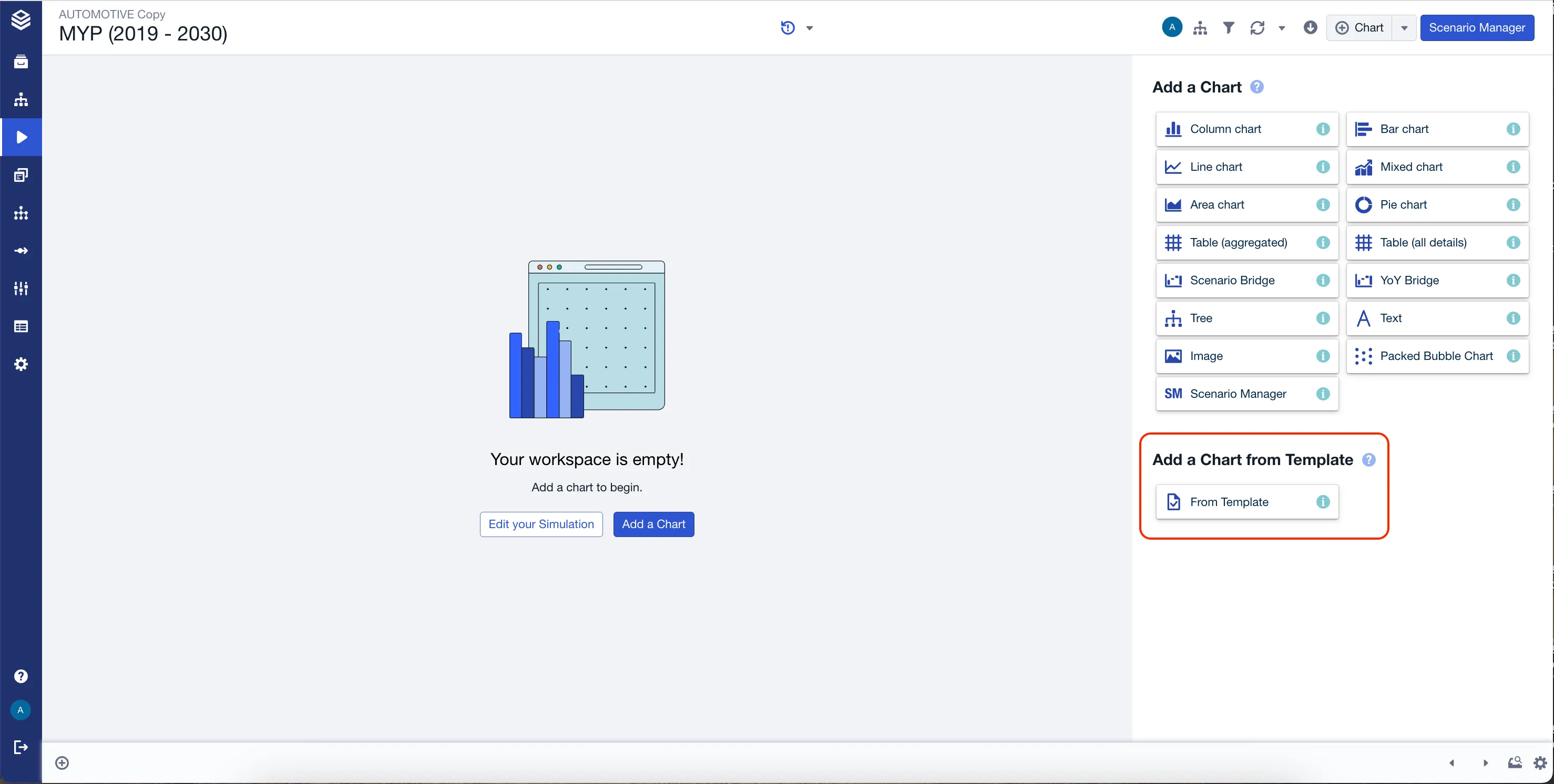
On a sheet that already has charts, start from the Chart button in the top bar:

Then pick From Template, in the Template group at the bottom of the selection, below Others:
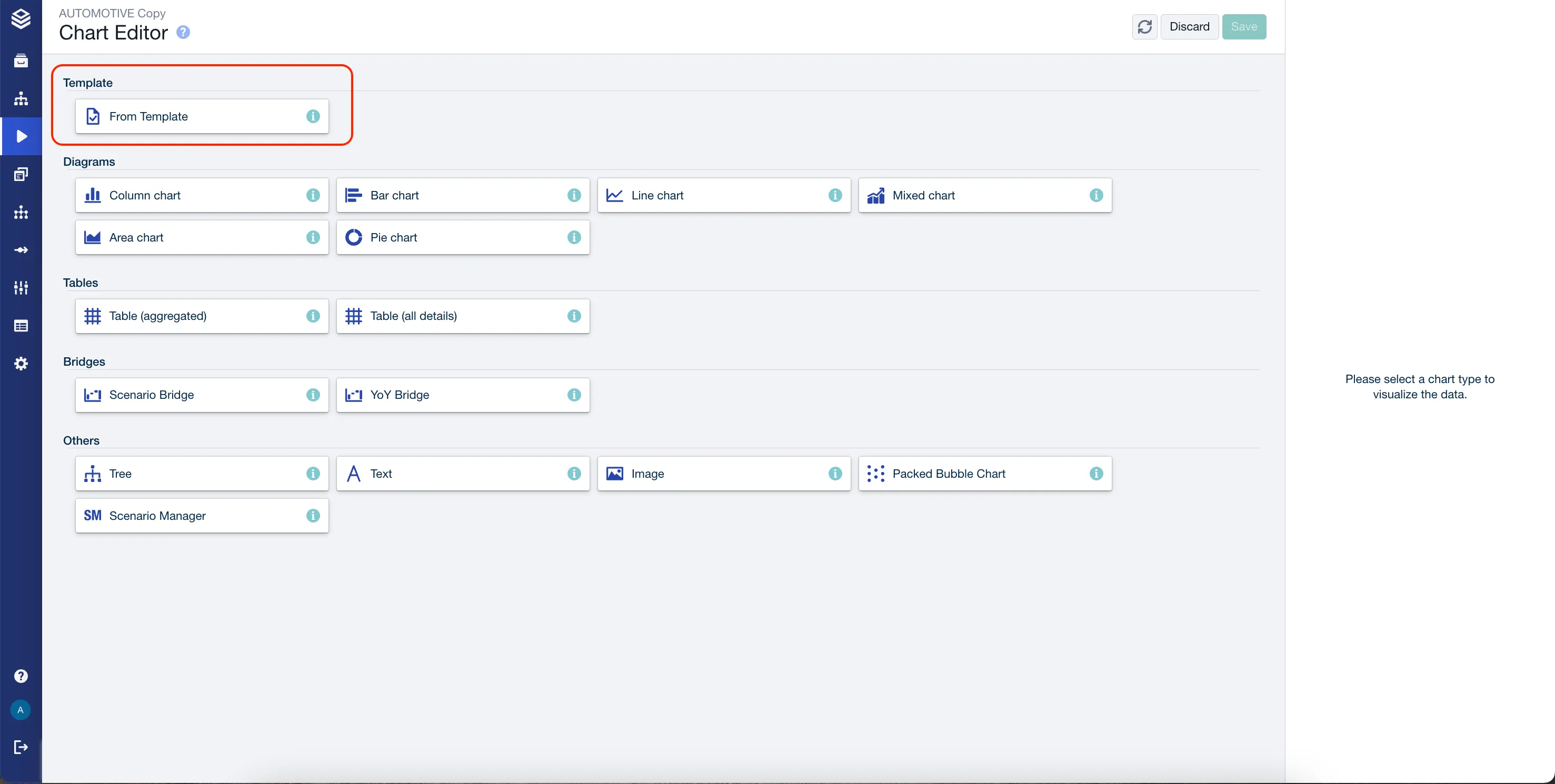
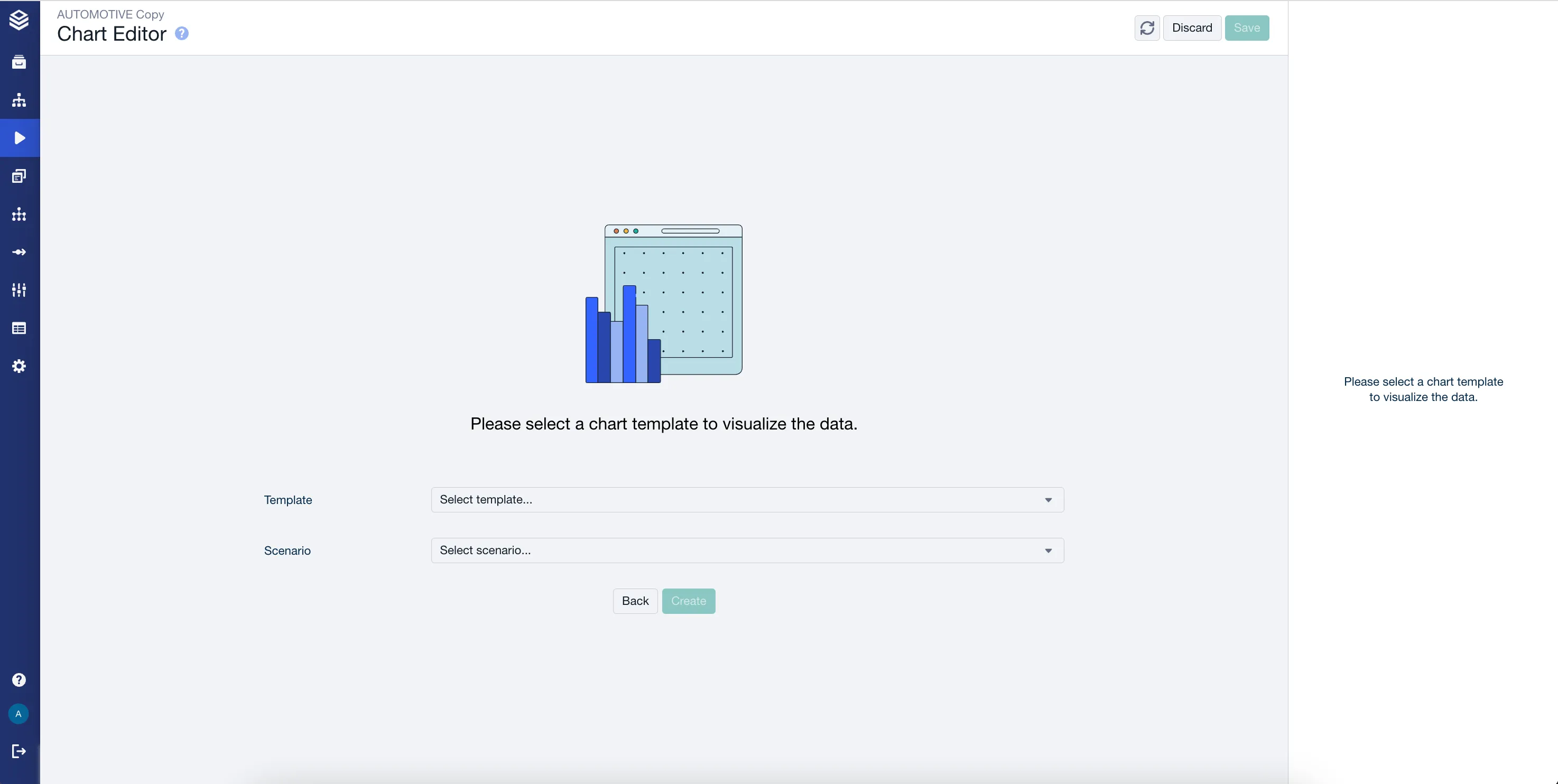
Choose the Template and the Scenario it should use, then click Create:
Verify
The new chart appears with the saved configuration already applied: same chart type, axes and filters as the chart you saved it from. From there it behaves like any other chart, so changing it does not affect the template or the original.
Related
- Creating Charts: adding a chart from scratch, and what you can set on it.
- Formatting Charts: sorting, scales, colors and table styles.